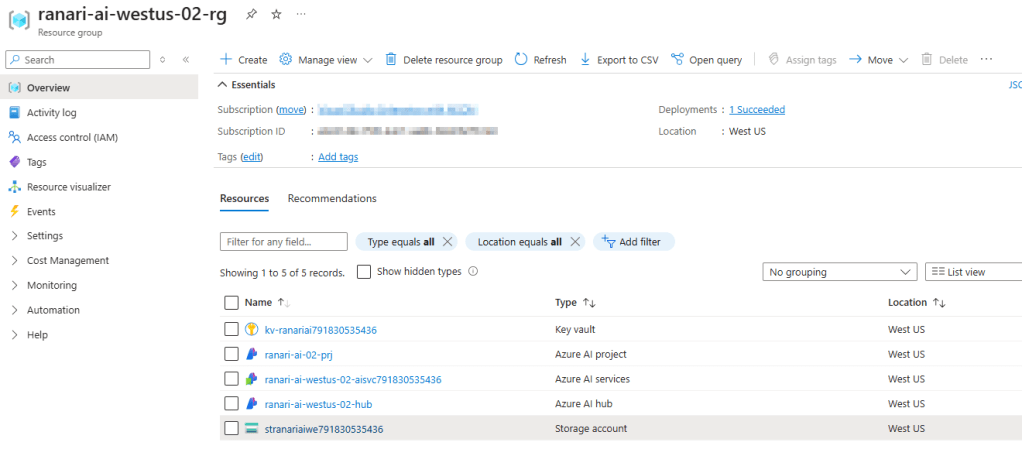
When you create your first project in Azure AI Foundry (https://ai.azure.com), you get a resource group deployed within your Azure subscription containing the following resources:
- Azure AI Project – The core entity managing your AI workloads.
- Azure AI Hub – A centralized workspace for organizing and accessing AI resources.
- Storage Account – Stores datasets, model artifacts, and logs.
- Key Vault – Manages secrets, credentials, and encryption keys securely.
- Azure AI Services (optional) – Provides additional AI capabilities like vision, language, and speech models.
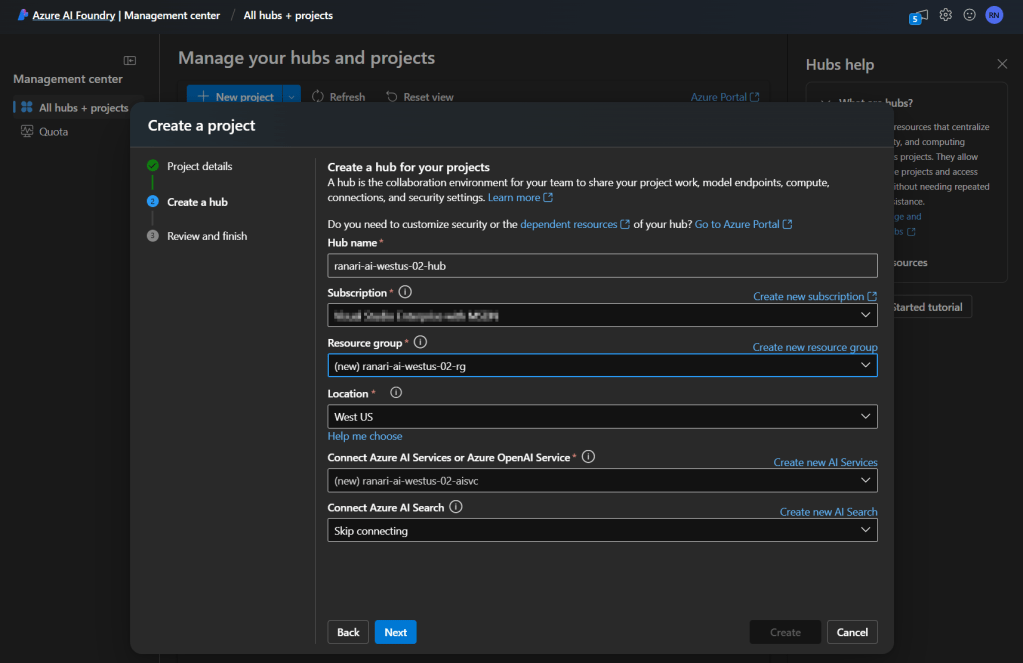
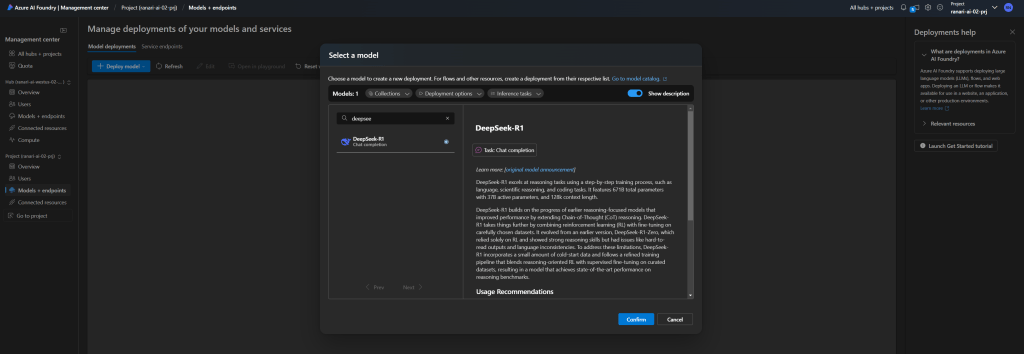
Froom within Azure AI Foundry, you can easily search for and deploy the DeepSeek-R1 model, or any other model of your choice.
Upon successful deployment, a new hidden resource of type microsoft.machinelearningservices/workspaces/serverlessendpoints will be created in your Azure subscription. To view this resource, you need to enable the “Show hidden types” option.
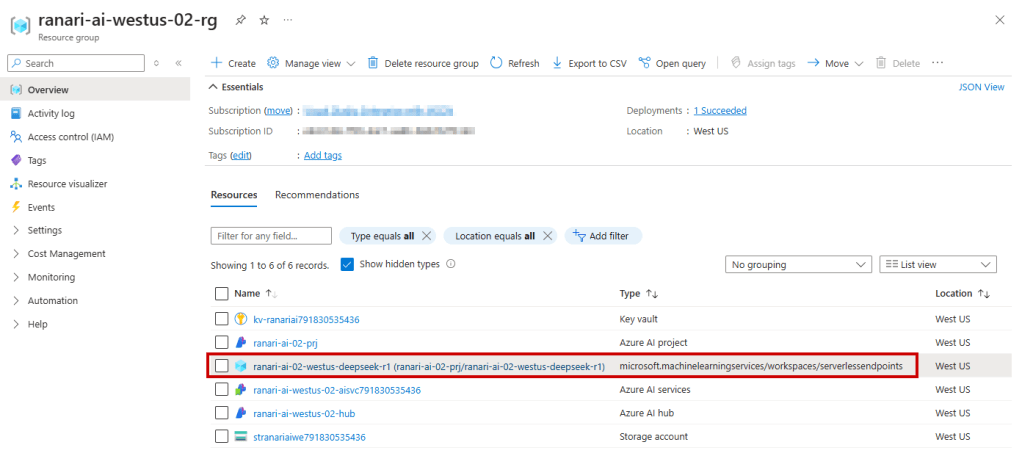
That’s it! I expected to see Container Apps or AKS or other visible infrastructure, but it appears that the model is hosted in a fully managed environment that abstracts away these details. This simplifies deployment but limits direct access to underlying components.
 Radu Narita